

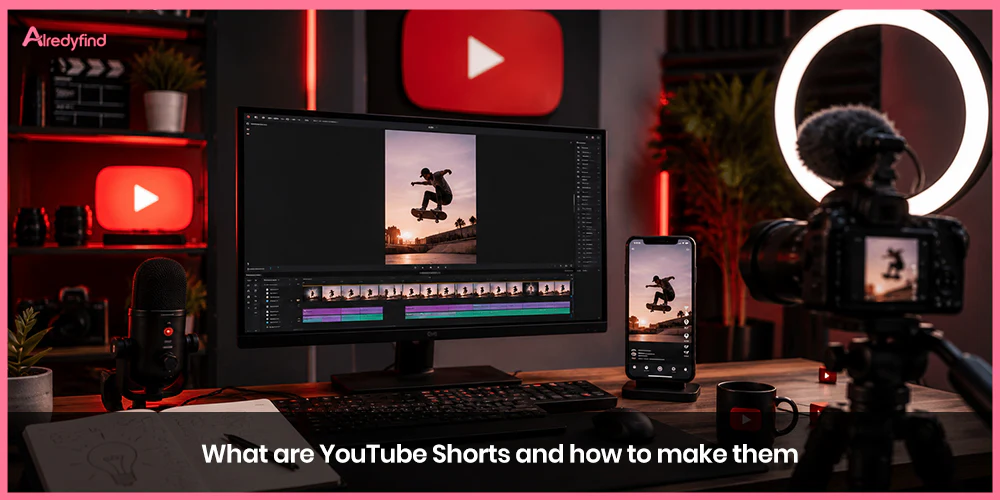
YouTube Shorts are short-form vertical videos designed for quick consumption and discovery. They live primarily in a full-screen, swipeable feed inside the YouTube app (and appear in search, the homepage, subscriptions, and notifications). Think of them as YouTube’s answer to TikTok-style content: fast, mobile-first, and built to stop the scroll.
As of 2026, Shorts can be up to 3 minutes long (previously capped lower). They must be vertical (9:16 aspect ratio) or square. Viewers discover them by tapping the Shorts tab at the bottom of the app and scrolling through an endless stream, or by encountering them elsewhere across the platform. Shorts generate hundreds of billions of daily views and serve as one of the strongest tools for reaching new audiences, testing ideas, and growing a channel.
Creators use Shorts to share quick tips, entertainment, behind-the-scenes moments, tutorials, reactions, challenges, or clips from longer videos. Because the format is easy to produce on a phone, it lowers the barrier for new creators while giving established ones a powerful discovery engine that can feed viewers into longer-form content.
Why Create YouTube Shorts?
Shorts excel at audience growth. They surface in a dedicated feed optimized for rapid discovery, so a well-made Short can reach people who have never heard of your channel. Subscribers gained from Shorts count toward Creator Awards milestones. Many creators treat Shorts as a top-of-funnel tool: grab attention with a short video, then point viewers to longer content, live streams, or memberships.
Monetization is available once you join the YouTube Partner Program. One path to eligibility is 1,000 subscribers plus 10 million valid public Shorts views in the last 90 days (the alternative is 4,000 hours of long-form watch time in 12 months). Revenue comes from ads shown between Shorts in the feed, shared based on engaged views, with creators keeping 45% of their allocation after music licensing costs are handled.
Additional benefits include testing ideas quickly, repurposing long-form footage, building daily posting habits, and using built-in tools like trending audio, effects, remixes, and AI features.
YouTube Shorts Requirements and Technical Specs
Length: Up to 3 minutes (180 seconds). Shorter often performs better for retention, though longer Shorts can work for storytelling or tutorials.
Aspect ratio: Vertical 9:16 preferred (or square). Horizontal videos generally do not qualify as Shorts.
Format: Upload vertical or square video files, or record directly in the YouTube app.
Views counting: As of March 2025, views count each time a Short starts to play or replays (no minimum watch time). “Engaged views” (viewers who continue watching) remain the key metric for analytics, monetization eligibility, and revenue.
Music and claimed content rules apply. Shorts longer than one minute that contain claimed content may be blocked from monetization. Stick to YouTube’s audio library, original audio, or properly licensed tracks when possible.
How to Make YouTube Shorts: Step-by-Step
You can create Shorts two main ways: record in the YouTube mobile app or upload a pre-made video from your phone or computer.
Method 1: Record directly in the YouTube app (easiest for beginners)
Open the YouTube app and sign in.
Tap the + (Create) button at the bottom and select Short.
Optional but recommended: Tap Add sound and choose trending audio, a popular track, or original sound. Trending sounds often boost discovery.
Record by holding the capture button (or tap once to start/stop). Use the multi-segment camera to film several clips. Adjust speed, set a timer for hands-free recording, or switch cameras.
After recording, edit: trim clips, rearrange segments, add text, stickers, filters, voiceovers, or automatic captions.
Use Remix features if desired (green screen another video as background, cut in a short clip from someone else’s video, or collab side-by-side).
Tap Next, write a title (and optional description), choose audience settings, and upload.
Method 2: Upload from phone gallery or desktop
On mobile: In the Shorts camera, choose the option to upload from your gallery (select a vertical or square video under 3 minutes).
On desktop: Go to YouTube Studio → Create → Upload videos. Select a vertical/square file ≤ 3 minutes. Add title, description, thumbnail (if available), and publish. YouTube detects the format and treats it as a Short.
Editing tips inside or outside the app YouTube’s built-in tools handle basic cuts, text, captions, and effects. For more advanced work, use the free YouTube Create app (filters, transitions, royalty-free music) or external editors like CapCut, then upload the finished file. AI tools such as Dream Track (custom 30-second soundtracks), Veo-generated clips, photo-to-video, and generative effects are available in select markets.
Best Practices for High-Performing Shorts
The Shorts algorithm prioritizes viewer satisfaction signals: how quickly people stop scrolling (first 1–3 seconds), completion rate, replays/loops, likes, shares, and whether they watch more of your content afterward. Watch time matters less than retention percentage and engagement density.
Key tactics that consistently perform:
Hook hard in the first 1–3 seconds. Open with a surprising visual, question, bold claim, or the most interesting moment. Avoid slow intros.
Design for replays and loops. End in a way that encourages rewatching, or structure the video so the ending connects smoothly to the beginning.
Keep it tight. Many top Shorts land in the 15–45 second range even though 3 minutes is allowed. Deliver value or entertainment fast.
Use text overlays and captions. Many viewers watch with sound off. Large, readable on-screen text helps retention.
Leverage trending audio and sounds. Browse the “Top sounds” section when creating. Remix existing popular Shorts for extra reach.
Add a clear call to action. Soft CTAs like “Follow for more,” “Watch the full video,” or “Comment your answer” work better than hard sells.
Optimize titles and descriptions. Include searchable keywords. Titles matter for search discovery and channel pages.
Post consistently. Regular uploads help the algorithm understand your content and audience. Quality still beats pure volume.
Repurpose long-form content. Pull the best 15–60 second moments from existing videos, reframe them vertically, add captions and a new hook, and publish as Shorts. One long video can yield multiple Shorts.
Link to longer content. Use the description or end screens (where available) to send interested viewers to full videos, playlists, or lives.
Thumbnails matter more for search results, channel pages, and related videos than inside the pure Shorts feed. Choose a clear, branded frame when the option appears.
Monetization and Growth Strategy
Once in the Partner Program and after accepting the Shorts Monetization Module, you earn from ads between Shorts based on your share of engaged views. Music use affects the overall Creator Pool allocation but not your personal share rate (you still keep 45%). Non-original or low-effort reused content can be ineligible.
Treat Shorts as a discovery engine rather than the sole content strategy for most channels. Use them to grow subscribers and test topics, then convert attention into higher-RPM long-form videos, memberships, or live streams. Track performance in YouTube Analytics—focus on engaged views, average percentage viewed, and traffic sources.
Common Mistakes to Avoid
Slow starts or weak hooks that cause immediate swipes.
Horizontal or poorly cropped video.
Overly long videos that lose retention.
Ignoring captions or text for silent viewers.
Relying only on trends without original value.
Inconsistent posting or low-effort mass uploads.
Using claimed music/content in ways that block monetization.
FAQ
Up to 3 minutes (180 seconds). There is no official minimum length. Many successful Shorts are under 60 seconds for better retention, but longer ones work for certain formats.
No. A smartphone and the YouTube app are enough. Good lighting and clear audio improve results, but you can start with what you have. External microphones and simple editing apps help as you grow.
Prioritize a strong first 1–3 seconds, high retention/completion, and replays. Use trending audio, clear text overlays, consistent posting, and searchable titles. Analyze which topics and styles your audience finishes and shares, then double down.
Yes. After joining the YouTube Partner Program (via 1,000 subscribers + 10 million Shorts views in 90 days, or the long-form watch-time path) and accepting the Shorts Monetization Module, you earn a share of ad revenue from the Shorts feed based on engaged views.
Shorts are vertical (or square) videos up to 3 minutes that enter the dedicated Shorts feed and discovery system. Regular (long-form) videos are typically horizontal, have no length restriction in the same way, and live primarily on the Watch page with different monetization and recommendation mechanics. You can (and often should) create both.

. Think of them as YouTube’s answer to TikTok-style content: fast, mobile-first, and built to stop the scroll.)