

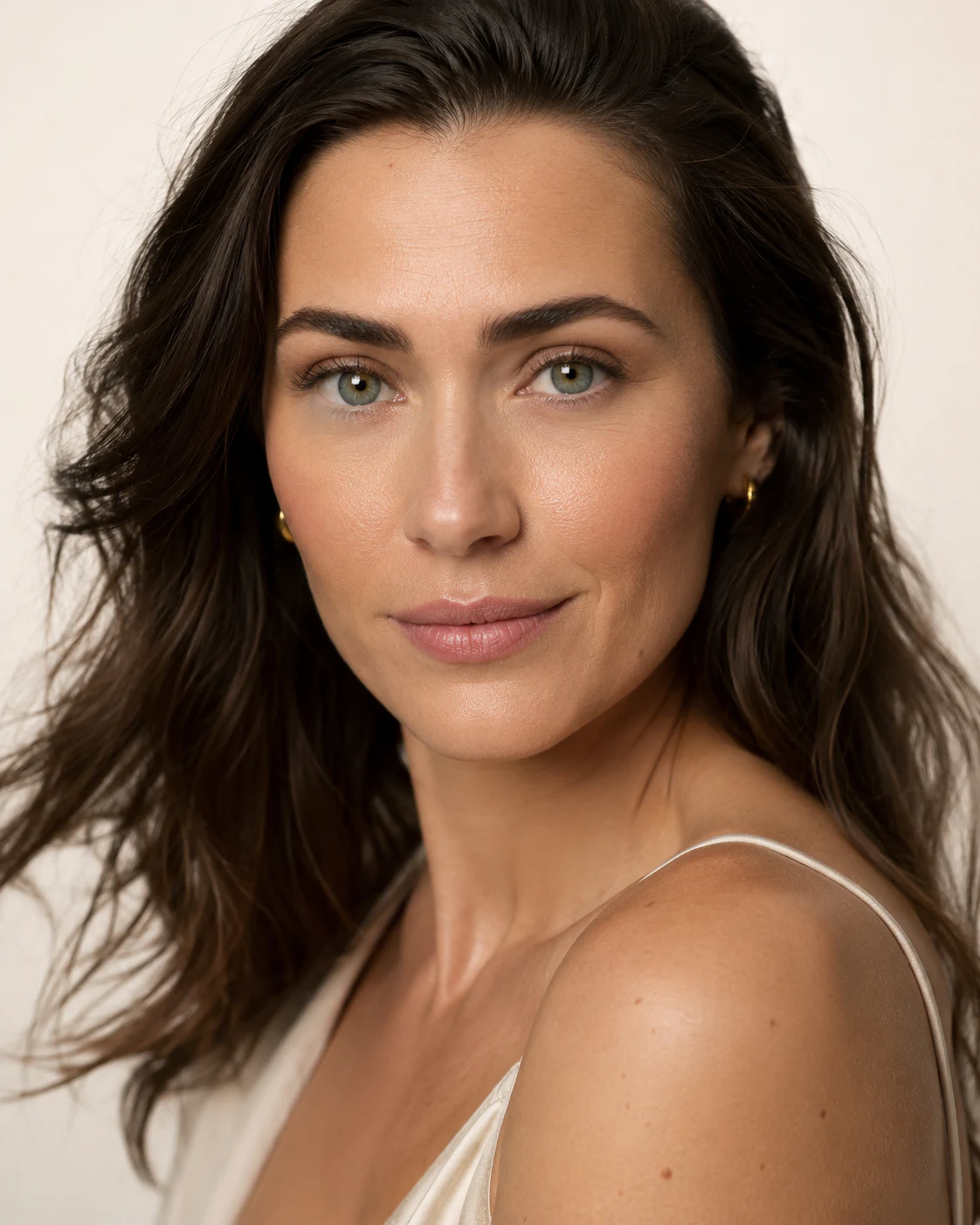
Looking for professional AI portrait editing prompts that produce realistic, high-quality results? This collection includes detailed prompts for cinematic portraits, luxury fashion campaigns, corporate headshots, beauty photography, vintage film styles, black-and-white portraits, and more.
Each prompt includes professional photography instructions such as lighting direction, camera lenses, depth of field, skin texture, color grading, background styling, and identity preservation. These prompts can be used with AI image editing tools such as ChatGPT, Flux, Midjourney, Nano Banana, and other image-generation platforms.
Universal Identity-Lock Instruction
Add this paragraph to the beginning of any prompt:
Use the uploaded portrait as the primary identity reference. Preserve the subject’s exact facial identity, ethnicity, age range, facial structure, eye shape, eye color, nose, lips, jawline, skin tone, hairstyle, hairline, and distinctive features. Do not beautify the face into a different person. Maintain realistic facial proportions, natural asymmetry, visible skin texture, and accurate anatomy. Only change the lighting, styling, clothing, background, mood, and photographic treatment described below.
1. Luxury Beauty Campaign
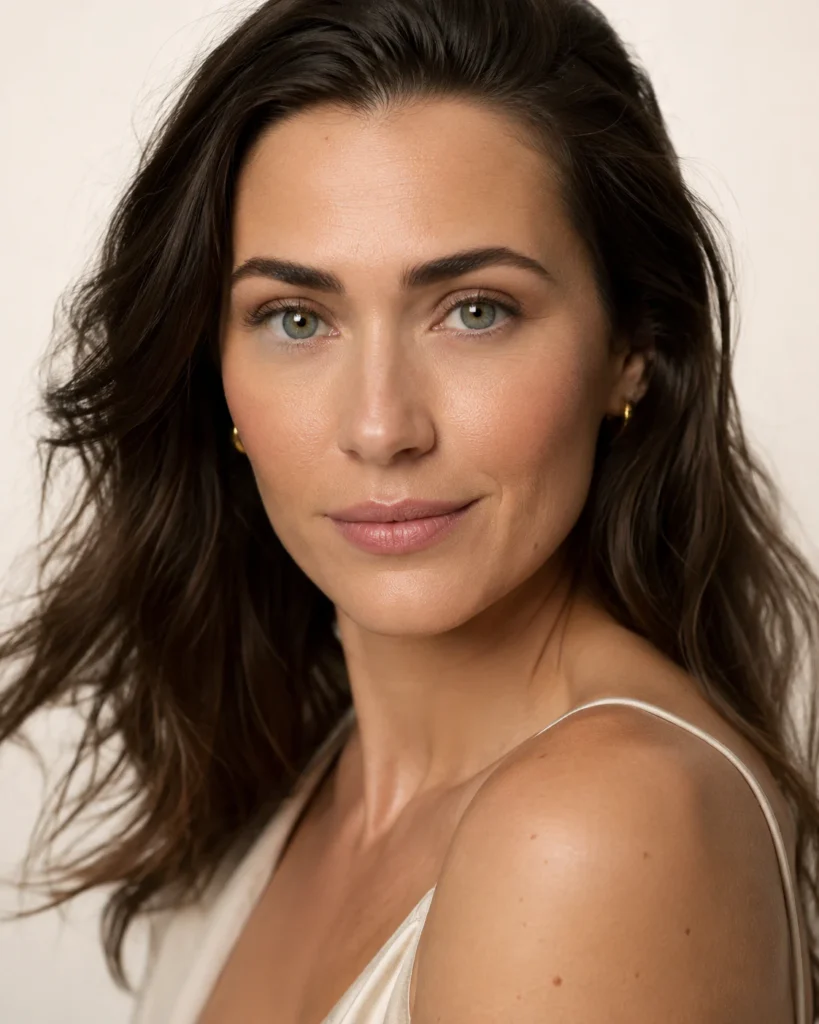
Transform the uploaded portrait into a premium luxury beauty campaign photographed in a professional studio. Use a close-up head-and-shoulders composition with the subject looking directly into the camera. Create large, soft clamshell lighting, clean catchlights in both eyes, gentle cheekbone definition, and controlled highlights across the skin. Retouch temporary blemishes while preserving pores, fine lines, peach fuzz, and natural skin texture. Add refined minimal makeup, softly styled hair, an ivory seamless background, subtle tonal separation, and polished commercial color grading. Simulate a medium-format camera with a 110mm portrait lens, shallow depth of field, high dynamic range, precise focus on the eyes, and realistic optical detail.
2. Cinematic Neo-Noir Portrait
Reimagine the portrait as a sophisticated neo-noir film still set in a rain-covered city at night. Preserve the subject’s exact identity and expression. Place the subject beneath a narrow overhead practical light with cool window light on one side of the face and a restrained warm rim light on the opposite side. Add wet pavement reflections, distant out-of-focus streetlights, soft atmospheric mist, subtle rain droplets on the coat and hair, and realistic background depth. Use a dark tailored trench coat with understated styling. Simulate a 50mm anamorphic cinema lens, oval bokeh, mild halation, controlled lens bloom, fine film grain, deep blacks with retained shadow detail, and a widescreen cinematic composition.
3. High-Fashion Editorial Cover
Edit the portrait into an international high-fashion magazine cover image. Preserve the face precisely while upgrading the wardrobe to sculptural couture with strong tailoring, luxurious fabric texture, and a disciplined monochromatic palette. Use hard directional studio lighting that creates a graphic shadow without obscuring the eyes. Position the subject slightly off-center and leave deliberate negative space for editorial typography. Maintain confident posture, elegant hand placement, realistic garment construction, and refined hair and makeup. Simulate a high-resolution medium-format camera with an 80mm lens, crisp micro-contrast, controlled skin retouching, clean background gradients, sharp fabric detail, and sophisticated editorial color grading. Do not add text, logos, watermarks, or brand names.
4. Executive Leadership Headshot
Create a modern executive leadership portrait suitable for a corporate website, annual report, press release, or professional profile. Preserve the subject’s true facial identity and age. Dress the subject in a perfectly fitted dark navy or charcoal suit with a high-quality neutral shirt and minimal accessories. Use a clean architectural office background with subtle glass, stone, and warm wood elements, softly blurred but still believable. Apply broad soft key lighting, gentle fill, and a subtle rim light for separation. Maintain a confident, approachable expression and natural posture. Simulate an 85mm lens at approximately f/2.8, realistic skin texture, accurate fabric detail, neutral white balance, restrained contrast, and premium corporate color grading.
5. Golden-Hour Environmental Portrait
Transform the image into an authentic outdoor golden-hour portrait captured shortly before sunset. Preserve identity, skin tone, hair, and facial proportions. Position the subject in a natural landscape with warm backlighting passing through the hair, a soft reflected fill on the face, and a gentle glow around the shoulders. Add realistic wind movement to a few strands of hair and subtle texture in the clothing. Use a relaxed, candid expression rather than a posed commercial smile. Simulate a full-frame camera with an 85mm lens at f/1.8, creamy background bokeh, natural highlight roll-off, warm but balanced skin tones, slight atmospheric haze, and delicate film-inspired color grading without excessive orange saturation.
6. Museum-Quality Black-and-White Portrait
Convert the portrait into a timeless museum-quality black-and-white fine-art photograph. Preserve the exact identity, age, expression, and natural skin characteristics. Use a single large directional light placed slightly above and to one side, producing sculpted cheekbones, controlled falloff, luminous eyes, and deep but detailed shadows. Replace the background with a seamless charcoal-to-black gradient. Use simple dark clothing with rich textile texture and no distracting accessories. Apply a carefully balanced monochrome conversion with full tonal range, smooth highlight transitions, strong midtone separation, subtle silver-gelatin grain, and restrained local contrast. Simulate a medium-format 120mm portrait lens with critical eye focus and refined print-quality detail.
7. Premium Skincare Advertisement
Edit the portrait into a clean, high-end skincare advertisement focused on healthy, realistic skin. Preserve all facial features and do not change the subject’s face shape, eye size, nose, lips, or age. Use bright diffused daylight, a white studio environment, soft frontal illumination, and delicate side fill. Show realistic pores, fine facial hair, natural under-eye texture, moisture highlights, and subtle tonal variation. Remove only temporary distractions such as isolated blemishes or uneven redness. Style the subject with minimal makeup, fresh hair, bare shoulders or a simple neutral garment, and a calm expression. Simulate a 100mm macro portrait lens, extremely accurate skin detail, gentle depth of field, clean color science, and no plastic smoothing.
8. Old-Money Luxury Portrait
Transform the uploaded portrait into an understated old-money luxury campaign. Preserve the subject’s identity and natural age. Dress the subject in timeless tailoring made from cashmere, wool, silk, or linen, with subtle jewelry and no visible logos. Place them inside an elegant heritage interior featuring dark wood, stone, books, muted artwork, and soft window light. Use warm directional daylight with gentle shadow shaping and a restrained practical lamp in the background. Maintain composed posture, a calm expression, and quiet confidence. Simulate a 75mm medium-format lens, muted earth-tone color grading, fine fabric texture, soft highlight bloom, realistic depth, subtle grain, and a refined editorial finish without flashy glamour.
9. Rainy Urban Night Portrait
Create a realistic night portrait on a rain-soaked metropolitan street. Keep the subject’s face fully recognizable and anatomically unchanged. Add a dark coat, naturally damp hair, small water droplets on the skin and fabric, and soft breath condensation in the cold air. Illuminate the face using diffused storefront light and a subtle colored rim from distant signage. Keep the background abstract through shallow depth of field, with believable traffic lights, reflections, passing silhouettes, and wet pavement. Simulate a 50mm lens at f/1.4, handheld documentary framing, soft practical-light bloom, realistic high-ISO grain, controlled motion blur in the background, and cinematic color separation while keeping skin tones accurate.
10. Analog 1970s Editorial Portrait
Restyle the portrait as an authentic 1970s editorial photograph without turning it into a costume parody. Preserve the person’s exact identity and natural facial details. Add period-appropriate clothing with earthy fabrics, subtle patterns, and understated styling. Use warm window light or direct late-afternoon sunlight, slightly imperfect exposure, gentle shadow density, and a simple vintage interior. Simulate a 35mm film camera with a 50mm lens, organic grain, mild halation, slightly softened sharpness, realistic color shifts, warm highlights, subdued greens, and naturally faded blacks. Avoid fake scratches, extreme sepia, heavy light leaks, or exaggerated retro filters.
11. Futuristic Minimalist Portrait
Transform the portrait into a premium futuristic editorial image with clean, minimal science-fiction design. Preserve the person’s true identity and human skin texture. Dress the subject in a structured technical garment made from matte fabric, translucent layers, or subtle metallic materials. Place them in a dark architectural environment with curved surfaces, thin illuminated lines, and restrained atmospheric depth. Use a cool frontal key light, a narrow cyan rim light, and a faint warm accent for color separation. Simulate a 90mm lens, crisp eye detail, smooth background gradients, controlled reflections, realistic materials, high dynamic range, and cinematic color grading. Avoid robotic facial changes, excessive holograms, glowing eyes, or cluttered cyberpunk elements.
12. Desert Fashion Campaign
Edit the portrait into a luxury desert fashion campaign captured in expansive natural light. Maintain the exact face, skin tone, hairstyle, and body proportions. Place the subject among sculptural sand dunes or pale rock formations with elegant negative space. Add refined neutral clothing with realistic movement caused by a gentle wind. Use low-angle sunlight, defined but flattering shadows, warm rim lighting, and subtle reflected light from the sand. Simulate a medium-format camera with a 100mm lens, high-resolution textile detail, realistic atmospheric perspective, muted sand and cream tones, controlled highlights, and sophisticated fashion color grading. Avoid oversaturated orange tones, fantasy scenery, or artificial-looking fabric movement.
13. Classical Painterly Portrait
Transform the photograph into a highly refined classical oil portrait while preserving the subject’s unmistakable facial identity. Use a three-quarter pose, dignified expression, dark neutral background, and elegant period-inspired clothing with believable velvet, silk, embroidery, and metal details. Light the face with a soft directional window source that creates gradual transitions from light to shadow. Reproduce realistic paint layering, subtle brushwork, luminous skin tones, restrained highlights, rich fabric texture, and deep atmospheric shadows. Maintain accurate anatomy and recognizable eyes, nose, mouth, and jawline. The result should feel like a carefully conserved gallery painting, not a digital filter or cartoon illustration.
14. Athletic Performance Campaign
Transform the portrait into a premium athletic-performance advertising image. Preserve the subject’s exact face, body type, age, and skin tone. Dress them in modern performance clothing with realistic stitching, breathable fabric, and subtle moisture. Use dramatic side lighting with a narrow rim light to define the shoulders and face, while keeping the eyes clearly visible. Add a dark training environment with soft atmospheric haze and minimal equipment in the background. Include natural perspiration and believable skin highlights without making the face excessively wet. Simulate a 70mm lens, fast shutter clarity, sharp facial detail, controlled contrast, deep neutral tones, and powerful commercial color grading.
15. Minimalist Monochrome Fashion Portrait
Create a minimalist fashion portrait based on one carefully controlled color family, such as ivory, burgundy, cobalt, charcoal, or forest green. Preserve the exact facial identity and skin tone. Coordinate the wardrobe, backdrop, and subtle makeup within the chosen palette while maintaining enough tonal contrast to separate the subject. Use a single large softbox from the side, a subtle negative fill, and a clean shadow on the background. Frame the subject from the chest upward with precise posture and intentional negative space. Simulate a 135mm fashion lens, compressed perspective, sharp eyes, smooth tonal gradients, realistic fabric texture, understated retouching, and a clean contemporary editorial finish.
16. Intimate Window-Light Portrait
Edit the uploaded image into an intimate, emotionally natural window-light portrait. Keep the person’s exact identity, age, expression, hairstyle, and facial proportions. Position the subject beside a large window with soft overcast daylight falling across the face and gently fading into shadow. Add a quiet interior with neutral curtains, textured plaster, or soft bedding in the background. Use simple clothing, relaxed posture, and a subtle reflective expression. Simulate a 50mm lens at f/2, close observational framing, natural depth of field, realistic skin texture, delicate highlight roll-off, soft neutral color grading, and restrained film grain. The final image should feel candid, personal, and photographically believable.
Universal Negative Instruction
Add this paragraph to the end of each prompt:
Avoid changing the person’s identity, face shape, age, ethnicity, eye color, hairstyle, or distinctive features. No plastic skin, waxy texture, excessive beauty filtering, enlarged eyes, narrowed nose, altered jawline, artificial teeth, over-sharpening, HDR halos, duplicated features, asymmetrical pupils, deformed ears, malformed hands, floating accessories, fake text, logos, watermarks, excessive background blur, oversaturated skin, unrealistic lighting, or obvious AI artifacts.
FAQ
AI portrait editing prompts are detailed text instructions that tell an AI image tool how to transform an existing portrait. They can control lighting, clothing, background, camera style, colors, mood, retouching, and overall visual direction.
Include clear instructions asking the AI to preserve the subject’s exact facial identity, skin tone, facial structure, eye shape, nose, lips, jawline, hairstyle, age, and distinctive features. You should also tell the tool not to beautify or replace the face.
These prompts can be adapted for ChatGPT image editing, Midjourney Editor, Flux, Nano Banana, Stable Diffusion, Leonardo AI, Adobe Firefly, and other AI image-generation or photo-editing platforms.
Yes. Upload the portrait first and then combine the identity-preservation instruction with one of the editing prompts. The uploaded image should be clear, well-lit, and show the subject’s face without heavy filters.
Use specific photography details such as lens type, focal length, aperture, lighting direction, depth of field, skin texture, realistic shadows, color grading, and background separation. Avoid vague instructions such as “make it beautiful” or “make it professional.”
An identity-lock instruction tells the AI not to change the subject’s recognizable facial features. It usually specifies that the face shape, skin tone, age, ethnicity, eyes, nose, lips, jawline, hairstyle, and natural asymmetry must remain unchanged.
AI tools may reinterpret the face when the prompt focuses too heavily on styling, beauty, or character transformation. Adding strong identity-preservation instructions and avoiding conflicting styles can reduce unwanted facial changes.
It is usually better to use one clear visual direction at a time. Combining cinematic, vintage, cyberpunk, luxury, and fantasy styles in the same prompt can create inconsistent lighting, clothing, colors, and facial details.
Useful details include the focal length, lens type, aperture, framing, lighting setup, depth of field, film grain, color science, and focus point. Common portrait lenses include 50mm, 85mm, 100mm, and 135mm.
An 85mm lens style is suitable for most headshots and beauty portraits because it creates flattering facial proportions and soft background separation. A 50mm lens creates a more environmental look, while 100mm or 135mm lenses create stronger compression.
Tell the AI to preserve pores, fine lines, peach fuzz, natural skin texture, and realistic tonal variation. Add instructions such as “no plastic skin,” “no waxy texture,” and “no excessive beauty filtering.”
Yes. The executive and corporate portrait prompts are suitable for LinkedIn photos, company websites, professional profiles, press releases, speaker profiles, and annual reports.
Yes. You can use them to create cinematic, luxury, editorial, minimalist, professional, or lifestyle profile pictures. For profile images, request a centered composition and make sure the face remains clearly visible at smaller sizes.
A professional prompt should clearly describe the identity requirements, clothing, lighting, camera style, composition, background, skin treatment, mood, and restrictions. However, the instructions should support one consistent visual direction rather than several conflicting concepts.
Useful negative instructions include no identity changes, no plastic skin, no distorted anatomy, no enlarged eyes, no altered jawline, no malformed hands, no duplicated facial features, no oversaturation, no fake text, no logos, and no visible AI artifacts.
Yes. You can change the clothing, background, lighting color, camera lens, location, expression, pose, or mood while keeping the identity-lock and realism instructions unchanged.

