

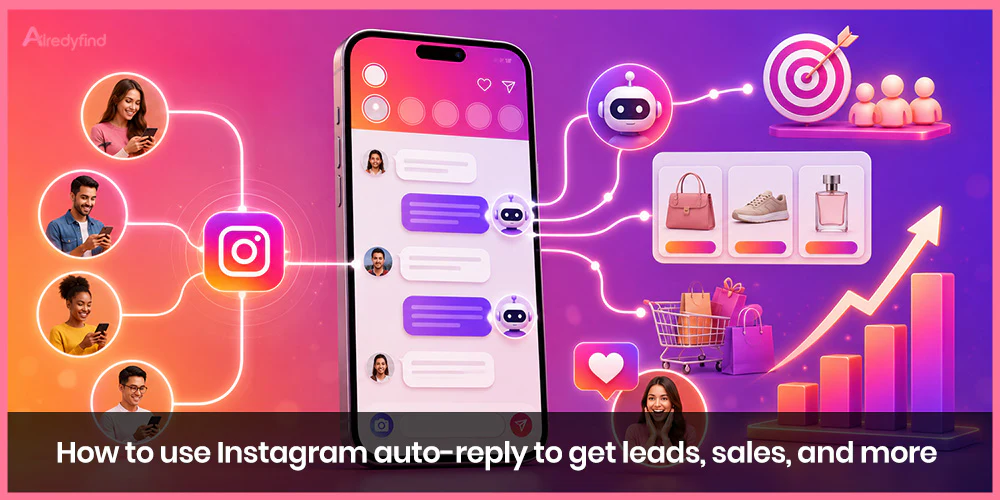
If you run a business, a creator page, or even a hobby account that’s started attracting real inquiries, you’ve probably felt this exact pain point: someone comments “price?” or “link please” on your post, and by the time you get around to answering, they’ve already scrolled on and forgotten about you. Multiply that by every DM asking about shipping times, booking availability, or “do you ship to Canada,” and you’ve got a full-time job just keeping up with your inbox.
Instagram auto-reply solves this. It’s the quiet infrastructure behind a trend you’ve almost certainly noticed: brands and creators telling their audience to comment a specific word — “GUIDE,” “LINK,” “SHOP” — instead of pointing people to a “link in bio.” That single word triggers an automatic DM containing the link, discount code, or resource, often paired with a public reply confirming it’s been sent.
This guide walks through exactly how that works, the difference between Instagram’s built-in tools and third-party automation platforms, how to build a comment-to-DM funnel that actually converts, real message templates, the rules you need to stay inside, and the mistakes that turn a great automation idea into a spammy one.
What Is Instagram Auto-Reply, Really?
At its core, Instagram auto-reply is a system that automatically sends a pre-written message when a specific trigger happens — someone DMs you, comments on your post, replies to your Story, or messages you for the first time. Instead of a human manually typing a response, the reply fires instantly, 24 hours a day, whether you’re asleep, in a meeting, or simply overwhelmed with volume.
There are three broad tiers of this functionality, and understanding the difference matters because it determines what you can and can’t do:
Tier 1: Quick Replies. These are saved message templates you trigger manually. You’re still the one opening the DM and tapping a shortcut — it just saves you from retyping the same answer fifty times a day. This is a productivity tool, not true automation.
Tier 2: Native Instagram automation (via Meta Business Suite). This includes Instant Reply (a single automatic message sent the first time someone DMs you) and Away Message (an automatic message sent during hours you define as “away”). These are genuinely automatic, free, and built directly into Meta’s own tools — but they’re limited. They can’t read what the person actually wrote, and Instagram allows only one Instant Reply and one Away Message per account, so everyone gets the identical message regardless of context.
Tier 3: Third-party automation platforms. Tools like ManyChat, Hootsuite, Trengo, and similar Meta-approved platforms connect to Instagram’s official API and unlock keyword-based triggers, comment-to-DM funnels, multi-step conversation flows, and lead capture. This is where most of the “comment a word and get a DM” campaigns you see actually live.
For anyone serious about turning Instagram engagement into leads and sales, tier 3 is where the real work happens — but it’s worth understanding tiers 1 and 2 first, since they’re free, built-in, and solve real problems on their own.
Why Auto-Reply Is So Effective for Leads and Sales
Speed closes deals. People commenting “price?” or DMing “is this in stock?” are, by definition, expressing purchase intent in that exact moment. If they don’t get an answer quickly, that intent cools off fast — and a competitor’s post, ad, or notification is only a swipe away. An instant, automatic response captures that interest at its peak.
It replaces “link in bio” friction with a direct handoff. Sending someone to your bio link asks them to leave the comment section, remember what they were looking for, find the right link among several, and click through. A DM auto-reply delivers the exact resource, discount code, or link directly into their inbox, with zero extra steps.
It scales infinitely. Whether ten people or ten thousand people comment your keyword, each one gets the same fast, personal-feeling response. No hiring, no burnout, no backlog.
It improves your “responsiveness” reputation. Meta rewards Pages that reply quickly with a visible “very responsive to messages” badge, which builds trust with potential customers browsing your profile for the first time.
It turns public engagement into a private, ownable conversation. A comment is public and easily lost in the scroll. A DM is a one-to-one conversation you can nurture, follow up on, and eventually move toward a sale or booked call.
Setting Up Instagram’s Native Auto-Reply Tools (Free)
Before reaching for a third-party tool, it’s worth maxing out what Instagram gives you for free. You’ll need a Business or Creator account connected to Meta Business Suite to access any of this — personal accounts don’t have these options.
Instant Reply
Instant Reply sends one automatic message the very first time someone opens a DM conversation with you. It’s a great place for a warm greeting, a quick note on response times, or a link to your most important resource.
How to set it up:
- Open Meta Business Suite and go to the Inbox.
- Click Automations.
- Select Instant Reply.
- Make sure the Instagram checkbox is ticked (this feature also applies to Facebook Messenger, so confirm you’re enabling it for the right channel).
- Write your message. Keep it short, warm, and useful — this is often the very first thing a potential customer reads from your brand.
- Save.
Away Message
Away Message works the same way but only fires during hours or dates you define as “away” — evenings, weekends, holidays, or whenever your team isn’t actively monitoring the inbox.
How to set it up:
- In Meta Business Suite’s Inbox, click Automations.
- Select Away Message.
- Confirm the Instagram box is checked.
- Click + Add Time to set your away hours, or choose to keep it always on outside your active reply windows.
- Write your message — something like letting people know when you’ll be back and what to do if it’s urgent.
- Save.
Frequently Asked Questions Auto-Replies
This feature lets you pre-load a handful of common questions with automated answers. When someone opens a DM with you, they’ll see tappable question prompts; tapping one instantly delivers your saved answer.
How to set it up:
- In your Instagram app, go to your profile and tap the menu icon.
- Go to Settings, then Business (or Creator).
- Look for Saved Replies or Frequently Asked Questions.
- Tap Add Question, enter the question text, and write the automated response.
- Repeat for each common question — think “What are your shipping times?”, “Do you offer refunds?”, or “How do I book a call?”
- Save your changes.
Quick Replies
Quick Replies are saved snippets you insert manually while chatting — useful for answering repetitive questions fast without full automation. They’re set up in the same Business settings menu as FAQs and are worth building out even if you invest in more advanced automation, since your team will still need to answer messages that fall outside your automated flows.
The honest limitation of native tools: none of them can read what a person actually typed and respond differently based on it. Everyone who messages you gets the same Instant Reply; everyone who comments gets nothing automatically at all, since native Instagram tools don’t support comment-to-DM triggers. For that, you need a third-party platform.
Building a Comment-to-DM Funnel With Third-Party Tools
This is the setup behind nearly every “comment X below” campaign you’ve seen. Platforms like ManyChat, Hootsuite, Trengo, and similar Meta-approved automation tools connect to Instagram’s official Graph API, which allows them to do what native Instagram can’t: detect a specific keyword in a comment and automatically send that commenter a private DM.
How the Funnel Works, Step by Step
- You create content with a clear call to action. For example, a Reel with a tutorial teaser ends with: “Comment TUTORIAL and I’ll send you the full guide.”
- A viewer comments the keyword. The automation tool is watching your post’s comments in real time.
- The tool instantly sends that commenter a DM containing your link, resource, discount code, or next step.
- A public reply is often posted too, confirming “Sent! Check your DMs” — which both reassures the commenter and signals social proof to everyone else scrolling the comments.
- The conversation continues from there. A well-built funnel doesn’t stop at message one — it can ask a qualifying question, offer a second resource, or route the person toward booking a call or completing a purchase.
General Setup Steps (Applies Across Most Platforms)
While the interface differs slightly between tools, the underlying setup follows a consistent pattern:
- Connect your Instagram Business or Creator account to the automation platform using Instagram’s official API (never a tool that asks for your username and password directly — that’s a red flag for account safety, covered more below).
- Choose your trigger. This is usually a specific post or Reel, plus the keyword you want to listen for (e.g., “GUIDE,” “SHOP,” “READY”).
- Write your automated DM response. This is the message the commenter receives — typically the link, code, or resource you promised.
- Set your public comment reply, if the platform supports it, to confirm the DM was sent.
- Add follow-up steps, if desired. More advanced flows include a qualifying question (“What’s your budget?”), a second value-add message, or a direct link to a booking calendar.
- Test the flow yourself by commenting the keyword from a separate account before publishing it widely.
- Publish your content and monitor performance — most platforms show you how many people triggered the automation, how many completed the flow, and how many converted further down the funnel.
Real Examples of High-Converting Auto-Reply Setups
The lead magnet delivery. A content creator posts a Reel: “Comment PLAN and I’ll send you my free meal plan template.” The auto-reply DM delivers the download link, followed by a short, friendly follow-up a day later inviting them to a paid program.
The gated resource. A B2B account shares a Reel teasing a report or template. Commenting “GUIDE” triggers an instant DM with the download, followed by “Reply YES if you’d like me to also send our pricing overview” — a soft, low-pressure way to keep the conversation going toward a sale.
The comment-to-purchase flow. An e-commerce account responds to product-tagged comments like “price?” or “link?” with an automatic DM containing the direct product page link, sometimes paired with a limited-time discount code to create urgency.
The booking funnel. A coach or service provider uses a keyword like “READY” to trigger a DM that asks one qualifying question (for example, their biggest challenge right now), then delivers a calendar link once the person responds — pre-qualifying leads before they ever get on a call.
In each case, the pattern is the same: a public trigger, an instant private response, and a clear next step that moves the conversation toward a business outcome rather than ending the interaction.
Writing Auto-Reply Messages That Actually Convert
The words you use inside the automation matter just as much as the setup itself. A few principles that consistently perform well:
Keep it short and conversational. Long, robotic paragraphs feel like a form letter. Aim for a tone that sounds like a quick, helpful message from a real person — because to the recipient, it should feel exactly like that.
Lead with the value, not the pitch. Deliver what you promised first (the link, the code, the resource). Save any upsell or next step for a follow-up line or message, not the opening sentence.
Use the person’s name when the tool supports it. Most automation platforms let you insert the commenter’s first name as a variable, which instantly makes the message feel less templated.
End with one clear next step. Whether it’s “Reply YES for the discount code too” or “Tap the link to book your free call,” give the recipient a single, obvious action rather than several competing options.
Match your brand voice. If your Instagram presence is playful and casual, your auto-reply shouldn’t suddenly sound like a corporate email. Consistency between your content and your DMs builds trust rather than breaking the illusion of a genuine connection.
Where You Send People Matters as Much as the Message
An instant DM is only half the equation — the destination matters just as much. Sending someone to a cluttered link-in-bio page with twenty unrelated links dilutes the whole point of a fast, focused response. Wherever possible, match each keyword trigger to a dedicated, focused landing page: your “SHOP” keyword should lead to a specific product or collection, your “FREE” keyword should lead straight to a lead-capture page for that exact resource. The combination of an instant, relevant reply and a clean, single-purpose landing page is what actually turns automation into revenue, rather than just engagement.
Staying Inside Instagram’s Rules
Automation is powerful, but Meta has real policies governing how messaging tools can behave, and it’s worth understanding them before you scale anything up.
Use Meta-approved, API-based tools only. Platforms that connect through Instagram’s official Graph API operate within Meta’s terms of service. Tools that ask for your Instagram login credentials directly and simulate a human clicking around the app are a serious account-safety risk and can lead to a suspension.
Respect the messaging window. Instagram enforces a limited time window (generally 24 hours from the user’s last message) during which a business can freely message someone. Outside that window, follow-up messages are restricted to specific message types. This is a core part of why the “comment to trigger a DM” pattern works so well — the user’s comment or message re-opens that window naturally, rather than you cold-messaging someone who never engaged with you.
Don’t mass-comment on other people’s posts to drive traffic. Automated commenting on accounts you don’t own, purely to advertise yourself, violates Instagram’s spam policies and can get flagged quickly.
Keep responses relevant. Auto-replies should genuinely relate to what the person asked or the keyword they used. Sending irrelevant sales pitches in response to unrelated comments erodes trust and increases the chance someone reports or blocks you.
Common Mistakes to Avoid
- Relying only on Instant Reply for lead generation. Native tools are useful, but they can’t respond to comment keywords or read message content — real lead-gen funnels typically need a third-party tool.
- Writing a message that sounds obviously automated. Overly formal language, generic greetings, or a wall of text signal “bot” instantly and reduce trust.
- Forgetting to test the flow before launch. A broken link or a keyword that doesn’t trigger properly can quietly kill an entire campaign’s results without you noticing for days.
- Sending people to a messy destination. An instant, well-written DM loses most of its value if it dumps the recipient onto a cluttered, unfocused landing page.
- Ending the conversation after one message. The single biggest missed opportunity in most auto-reply setups is not following up. A simple qualifying question or second value-add message meaningfully increases conversion.
- Ignoring the messages that fall outside your automation. Auto-reply should handle repetitive, predictable questions — it isn’t a replacement for real human follow-up on genuinely unique inquiries, especially higher-value ones.
- Using unofficial, login-based automation tools. The short-term convenience isn’t worth the risk of account suspension.
Native Tools vs. Third-Party Platforms: Which Should You Use?
If you’re a solo creator or small account just getting started, Instagram’s free native tools — Instant Reply, Away Message, and FAQ auto-replies — are a genuinely solid starting point. They cost nothing, take minutes to set up, and cover the basics: acknowledging messages quickly and answering repetitive questions.
Once you’re running keyword campaigns tied to specific posts or Reels, capturing leads at scale, or building multi-step conversations that qualify prospects before they reach a human, a third-party platform becomes worth the investment. Most offer free or low-cost starting tiers with a monthly message allowance, scaling up as your volume grows.
The right choice really comes down to what you’re trying to solve: if it’s “people aren’t hearing back fast enough,” native tools may be enough. If it’s “I want every comment on my content to turn into a captured lead,” you’ll need the keyword-trigger functionality that only a third-party, API-connected tool provides.
FAQ
Yes, to a degree. Instagram’s native tools — accessed through Meta Business Suite and the Instagram app’s Business settings — let you set up an Instant Reply, an Away Message, and a handful of FAQ auto-replies, all for free. What they can’t do is trigger a DM automatically based on someone commenting a specific keyword on a post; that functionality requires a Meta-approved third-party automation platform.
No, as long as you’re using an official, API-connected automation tool rather than one that logs into your account and mimics manual clicking. Meta explicitly supports business messaging automation through its Graph API, and native features like Instant Reply and Away Message are built directly into Meta Business Suite.
You’ll need a third-party automation platform (such as ManyChat, Hootsuite, or a similar Meta-approved tool) connected to your Instagram Business or Creator account. Inside the tool, you choose the post or Reel, define the trigger keyword, and write the automatic DM response that gets sent to anyone who comments that word.
There’s no visible label distinguishing an automated reply from a manually typed one. That said, if a message feels generic, overly formal, or arrives suspiciously instantly with no personalization, people can often guess. Writing in a natural, conversational tone and personalizing where possible helps the interaction feel genuine.
Quick Replies are saved message templates you still have to manually select and send — a time-saver, not automation. Instant Reply and Away Message, found in Meta Business Suite, are genuinely automatic but limited to one static message each, triggered only by someone opening a DM with you. Third-party automation platforms go further, allowing keyword-based triggers on comments, multi-step conversations, and lead capture, which is where most large-scale “comment to get a link” campaigns actually run.

