

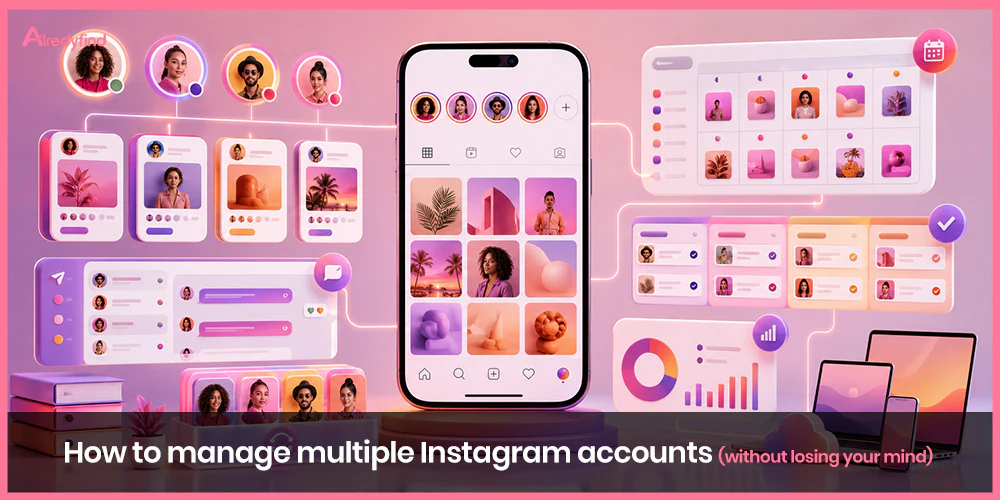
Managing one Instagram account well already takes real time and attention. Managing several, whether it’s a personal account plus a business page, five client accounts as a freelancer, or a dozen regional profiles for one brand, is a completely different job. It’s not just “the same work, times five.” It’s more logins, more notifications, more content calendars, more voices to keep straight, and a genuinely higher risk of embarrassing mistakes, like posting a client’s product launch to the wrong feed, or replying to a DM as the wrong brand.
If you’ve ever found yourself double- and triple-checking which account you’re logged into before you hit “post,” or felt your stomach drop wondering whether that Story went out on the right profile, you already know the specific flavor of stress this creates. The good news is that this is a solved problem. Thousands of agencies, freelancers, and in-house teams run far more accounts than you probably are, and they do it without living in a constant state of low-grade panic. It comes down to having the right setup, the right tools, and a few non-negotiable habits.
This guide covers everything: who actually needs multiple accounts, how many Instagram allows and how switching works, the tools worth paying for (and when the free native switcher is genuinely enough), how to build a content system that doesn’t collapse under its own weight, how to keep every account’s voice distinct, how to avoid the mistakes that get accounts flagged or shut down, and how to protect your own sanity along the way.
Why People End Up Managing Multiple Accounts in the First Place
Before getting into the “how,” it’s worth being honest about the “why,” because the right setup depends heavily on the reason.
Personal vs. business separation. A huge number of people keep one account for friends and family and a completely separate one for their business, brand, or public-facing work. This is less about strategy and more about not wanting your boss, your business partners, or your entire client list to see your vacation photos.
Multiple brands or product lines. A company selling several distinct product categories, or operating under multiple sub-brands, often finds that one combined account confuses the algorithm and the audience alike. A retailer with a menswear line and a womenswear line, for instance, frequently runs two separate accounts so each one can speak directly to its specific audience instead of diluting both.
Regional or market-specific accounts. Global and multi-market brands often run a separate account per country or language, since posting times, cultural references, offers, and even tone need to differ.
Agencies and freelance social media managers. If you manage Instagram for clients, you are, by definition, running multiple accounts that have nothing to do with each other, each with its own goals, brand voice, and audience.
Influencers and creators with a “backstage” account. Many creators run a polished public account alongside a more casual, unfiltered second account for their most engaged fans, behind-the-scenes content, or a specific niche interest.
Testing and backup accounts. Some businesses keep a secondary or backup account in case the main one is ever compromised or restricted, though this is a smaller and more situational use case.
Whatever the reason, the common thread is the same: each account needs to be able to stand entirely on its own. A follower on Account B should never be able to tell it’s being run by the same tired human who’s also juggling Accounts A, C, and D.
How Many Instagram Accounts Can You Actually Have?
Instagram officially supports up to five accounts on a single device through its native account switcher, whether those accounts are personal, Creator, or Business. You can flip between them with a couple of taps, without logging out and back in each time. Each account you add needs its own email address (or phone number), so you can’t register five accounts off one inbox.
If you’re only managing two or three accounts, this native switcher is genuinely fine. It’s built for exactly this. Instagram also offers Meta Business Suite, its own free tool for managing multiple Instagram and Facebook business pages together, which adds shared scheduling and inbox management on top of the basic switcher.
The trouble starts once you’re past five accounts, or once two or three accounts have grown demanding enough that flipping between apps stops being quick and starts being a genuine source of errors. At that point, most people either:
- Split accounts across two devices — for example, accounts 1–5 on a phone, accounts 6–10 on a tablet or a second phone, each with its own switcher, or
- Move to a dedicated social media management platform that can hold far more than five accounts in one dashboard and doesn’t require you to physically switch apps at all.
One important caveat worth knowing: Instagram does use device, IP, and behavioral signals to detect when multiple accounts are connected to the same person or device. Running multiple accounts is completely allowed. What isn’t allowed is using those accounts to violate Instagram’s Community Guidelines, for example running coordinated spam, fake engagement, or ban-evasion behavior. If one linked account gets penalized for a real violation, it can occasionally affect the others tied to it, so it pays to keep every account’s behavior clean rather than trying to get away with something on one and hoping it doesn’t touch the rest.
The Real Challenges of Managing Multiple Accounts
It helps to name the specific problems before solving them, because “just be more organized” isn’t a strategy on its own. The recurring pain points that come up again and again, across agencies, in-house teams, and solo creators, are:
- Posting to the wrong account. This is the single most common (and most cringe-inducing) mistake. A caption written for one brand’s voice, published on a completely different brand’s feed. It happens to almost everyone eventually, usually during a rushed moment.
- Juggling different logins, content streams, and notifications. Every extra account is another stream of comments, DMs, and mentions competing for your attention, and it’s easy for something important to slip through unanswered.
- Keeping a consistent, distinct voice for each account. When you’re the one writing captions for five different brands in the same afternoon, they start to blur together unless you have a system to stop that.
- Inconsistent posting because one account quietly gets neglected. It’s natural to gravitate toward whichever account is easiest or most fun to work on, which means the “boring” account goes quiet, followers notice, and engagement drops.
- No centralized view of performance. Without one dashboard, comparing how five accounts are actually doing means logging into five separate places and manually compiling numbers, which most people just… don’t do consistently.
- Burnout from constant context-switching. Every time you jump from one brand’s tone to another’s, there’s a small mental cost. Multiply that by ten switches a day and it adds up to real fatigue by the end of the week.
Every recommendation in the rest of this guide exists to solve one of these six problems.
Step 1: Give Every Account a Clearly Defined Job
This is the foundation everything else sits on, and it’s the step people skip most often because it feels like “strategy” rather than “management.” But skipping it is exactly what causes accounts to blur together and feel redundant.
Before you touch a content calendar or a scheduling tool, write down, for every single account:
- Who is this account for? (Be specific — not “our customers,” but “menswear shoppers aged 25–40 in the UK.”)
- What does this account exist to do that the others don’t?
- What tone and visual style separates it from your other accounts?
- What’s the one thing a follower should get from following this account that they wouldn’t get anywhere else?
If two accounts can’t be told apart on paper, they probably shouldn’t be two accounts. Running ten near-identical accounts in the same niche adds almost no value, since Instagram’s algorithm and its users both reward content that clearly serves a specific audience, not content that’s been copy-pasted with a different logo. Where accounts do have some natural overlap (say, two accounts under the same parent brand), the fix isn’t to make them identical, it’s to cross-promote deliberately and occasionally, rather than mechanically posting the same thing to both.
Step 2: Pick the Right Tool for Your Scale
There’s no single “best” way to manage multiple accounts. The right setup depends almost entirely on how many accounts you’re running and how much money and time you have to spend on the tooling.
If you’re managing 2–3 accounts: the native switcher is genuinely enough
Instagram’s built-in account switcher, combined with Meta Business Suite for scheduling and a shared inbox, covers most people at this scale. Don’t overcomplicate this with a paid tool you don’t need yet.
If you’re managing 4–10 accounts: a social media management platform earns its cost
This is the sweet spot where dedicated tools start paying for themselves in saved time and avoided mistakes. The major options each lean slightly differently:
- Hootsuite — one of the most established platforms in this space, with a shared content calendar across every connected account, bulk scheduling, and a unified analytics view you can toggle between a single account or a side-by-side comparison. It’s built for larger teams and agencies managing a wide digital footprint, and the pricing reflects that (roughly $99/month for one user and up to ten social profiles at the time of writing), with an interface that some users find a bit dense given how much it does.
- Sprout Social — combines scheduling and analytics with genuine CRM-style features for tracking customer relationships across accounts, which makes it especially strong for agencies that need polished client reporting. It’s priced toward agencies and enterprises (around $199/user/month on the standard plan) and can be overkill if you don’t need the deeper analytics.
- Buffer — generally the simplest and most affordable entry point, well suited to smaller teams or solo operators managing a handful of accounts without needing heavyweight CRM features.
- Later — particularly strong if visual feed planning matters to you, since it’s built around letting you drag-and-drop plan how your grid will actually look before you publish, in addition to scheduling.
- Metricool — worth a look if you want scheduling, content calendars, and automated reporting/hashtag tracking bundled together at a more accessible price point than the enterprise players.
If you’re managing 10+ accounts (agencies, large in-house teams)
At this scale, you want a platform explicitly built for bulk account management, with features like bulk account imports, role-based permissions so team members only touch the accounts they’re assigned to, and client-facing collaboration tools for sharing drafts and collecting approvals. Tools like StoryChief and similar agency-oriented platforms add structured workflows: onboarding templates to capture each new client’s goals and voice, approval stages, and tagging systems so everyone on the team can see at a glance what stage each piece of content is in.
Whatever tool you land on, the underlying value proposition is the same across all of them: one login, one dashboard, one place to schedule, monitor, and report on every account you run, instead of physically switching apps and re-orienting yourself each time.
Step 3: Build One Shared Content Calendar (Then Actually Use It)
A content calendar is the single highest-leverage habit in this entire guide. Almost every source on managing multiple accounts converges on this same point, because it directly solves several of the six core problems at once: it prevents accounts from going silent, it stops you from posting the wrong content to the wrong place, and it gives you a bird’s-eye view of everything at once instead of five disconnected mental to-do lists.
A calendar that actually works for multiple accounts needs a few specific things:
- A dedicated lane or color per account. Whether you’re using a tool’s built-in calendar or a shared spreadsheet, each account needs to be instantly visually distinguishable from the others. If you have to read the caption to figure out which account a post belongs to, the calendar isn’t doing its job.
- Themed content days. Recurring formats, like a “Motivational Monday” or a weekly product spotlight, make planning faster because you’re not reinventing the format from scratch every single week, just filling in that week’s specific content.
- Key dates mapped in advance. Holidays, campaign launches, and seasonal moments (Black Friday, a product drop, a regional holiday relevant to one specific market account) should go on the calendar the moment you know about them, not the week before.
- A clear point of truth for scheduling status. Everyone on the team, even if that “team” is just you, should be able to look at the calendar and instantly know what’s scheduled, what’s still in draft, and what’s approved and ready to go.
Set aside a specific day (weekly, or every other week) purely for planning: laying out what’s going where, for every account, for the period ahead. People who’ve run multiple accounts for years consistently point to this single habit as the thing that saved them the most stress: “did I post it to the right account?” panic mostly disappears once everything is planned and scheduled ahead of time instead of created and published in the moment.
Step 4: Batch Your Content Creation
Constant context-switching, jumping from writing Brand A’s caption to shooting Brand B’s Reel to responding to Brand C’s comments, is one of the biggest hidden drivers of burnout when you’re managing several accounts. The fix that comes up again and again is batching: setting aside a dedicated block of time, once a week or once every two weeks, to create as much content as possible in one sitting, rather than creating something new every single day on the fly.
In practice, this might look like:
- One session dedicated purely to shooting or designing visuals for every account’s content for the week or month ahead
- A separate block for writing all your captions in bulk, adapting tone and hashtags per account as you go, rather than switching between “writing mode” and “shooting mode” all week
- A final block for loading everything into your scheduling tool and queuing it up
Batching works because it keeps you in one mode of thinking for longer stretches, instead of paying a small mental tax every time you jump between tasks or between brand voices. It also means that even a genuinely busy week doesn’t leave an account looking abandoned, because the content for that week was already made and queued before the busy week even started.
Templates help enormously here too. Tools like Canva, Adobe Express, or CapCut let you build a base template per account (matching that account’s specific visual identity) so you’re not designing every post from a blank canvas. That alone can cut content production time dramatically.
Step 5: Protect Each Account’s Distinct Voice
This is the step that separates accounts that feel genuinely different from accounts that all quietly sound like the same tired person wrote everything on their lunch break, because, often, that’s exactly what happened.
A few concrete ways to keep voices distinct:
- Write a short style guide per account. A single page covering tone (playful vs. formal vs. informational), the words and phrases that account does and doesn’t use, and a few example captions is usually enough to keep you consistent even when you’re moving fast.
- Avoid copy-pasting the same caption structure across accounts. Even if the underlying content is similar, the phrasing, hashtags, and call-to-action should feel native to each specific account, not like the same template with the name swapped out.
- Don’t reuse identical hashtag sets across accounts you control. Beyond the voice issue, using the exact same hashtag block across multiple accounts you personally run is a pattern Instagram can flag as suspicious, since it resembles coordinated spam behavior rather than genuine, distinct content strategies.
- Review content in batches, by account, not chronologically. When you’re proofing a week’s worth of scheduled posts, go account by account rather than reading everything in publish order. It’s much easier to catch an off-brand caption when you’re comparing it against that account’s other content, rather than reading it sandwiched between four other unrelated brands.
Step 6: Build a System That Makes “Wrong Account” Mistakes Nearly Impossible
Since posting to the wrong account is consistently the most common (and most mortifying) mistake people make, it deserves its own dedicated fix, not just general carefulness.
- Rename accounts inside your management tool so they’re unmistakable at a glance, not just “Instagram 1, Instagram 2,” but the actual brand name, ideally with the logo as the thumbnail.
- Add a manual review step before anything goes live, even if you’re a solo operator. A quick “which account is this for?” gut-check, done consciously rather than on autopilot, catches a surprising number of near-misses.
- Use scheduling over live, in-the-moment posting wherever possible. The mistakes happen disproportionately during rushed, real-time posting. Content that was written and assigned to an account calmly, a week in advance, and then simply publishes itself on schedule, is far less error-prone than content typed and fired off in a hurry between meetings.
- If you’re on a shared team, add an approval step for at least new or junior team members, so a second set of eyes confirms the account before anything publishes.
Step 7: Don’t Let Any Account Go Quiet
More accounts mean more total upkeep, not the same amount of work spread thinner. Each account genuinely needs enough attention to stand on its own; if you don’t have the bandwidth to post regularly and respond to comments and DMs across every account you run, the honest fix is to either scale back your posting frequency evenly across all of them, or scale back the number of accounts, not to let your least-favorite account quietly go dark while your favorite gets all the attention.
A few practical habits help here:
- Set an explicit, realistic cadence per account (for example, three posts a week) rather than a vague intention to “post regularly,” and hold every account to it equally.
- Assign specific ownership if you’re working with a team — even informally, having one person clearly responsible for keeping a specific account alive prevents the “I thought someone else was handling that one” gap.
- Watch for the silent-account warning signs: if one account has gone quiet for weeks while another gets daily attention, that imbalance tends to compound, since an inactive account can eventually be treated by the algorithm as less relevant, making it harder to bring back to life later.
- Look for legitimate cross-promotion opportunities between your own accounts when it makes sense. Instagram supports official collaborations between accounts, and some of the biggest brands use this well; Nike, for example, cross-promotes between its main account and its dedicated football account through collaborative posts, rather than duplicating content across both.
Step 8: Centralize Reporting So You Actually Look at the Data
It’s easy to schedule content across five accounts and much harder to actually sit down and compare how those five accounts are performing, especially if that means logging into five separate places and manually copying numbers into a spreadsheet. In practice, most people just stop doing that after a couple of months, which means real performance problems can go unnoticed for a long time.
This is where a centralized analytics view earns its keep. Being able to toggle between “show me one account’s numbers” and “compare all my accounts side by side” in a single dashboard makes it dramatically more likely you’ll actually do this review regularly, which is the whole point. At minimum, review monthly:
- Engagement rate relative to reach, for each account
- Follower growth (or decline) trend per account
- Which specific posts performed best and worst, and what they had in common
- Whether posting cadence has actually been consistent, or has quietly slipped on one or more accounts
A Note on Multi-Account Detection and Staying on the Right Side of the Rules
Instagram is genuinely fine with you running multiple accounts, whether that’s two or twenty. It becomes a problem only when those accounts are used to violate platform rules, for example running coordinated fake engagement, spam behavior, or attempting to evade a ban on one account by hiding behind another. Instagram can and does link accounts together using device, IP, and behavioral signals, which means a real violation on one connected account can sometimes carry consequences for the others tied to it.
The safest approach, by a wide margin, is the boring one: keep every account’s activity genuinely clean, avoid identical, copy-pasted behavior across accounts you control (like posting the exact same caption and hashtag set at the exact same second across multiple profiles), and rely on official tools, Instagram’s own multi-account switcher, Meta Business Suite, and reputable, established scheduling platforms, rather than tools whose entire premise is helping you hide multiple accounts from Instagram’s own detection systems. If an account genuinely needs to be treated as fully separate for privacy or client-confidentiality reasons, the legitimate path is separate logins and careful account hygiene, not adversarial tooling built to spoof or evade platform detection.
Building Your Actual Routine
Pulling all of this together, a realistic weekly rhythm for someone managing multiple accounts might look like:
- One day for planning — laying out the coming week or two across every account in your shared calendar, mapping any key dates or campaigns
- One or two batched sessions for content creation — shooting, designing, and writing captions for everything at once, account by account
- A short daily window for engagement — checking comments, DMs, and mentions across every account, ideally through a centralized inbox rather than switching apps
- A monthly session for reporting — pulling performance across all accounts side by side, spotting what’s working, and adjusting the plan for the following month
None of this needs to be complicated. The accounts that stay organized long-term aren’t run by people with some superhuman ability to keep ten brand voices straight in their head simultaneously. They’re run by people with a system simple enough that they’ll actually stick to it every single week.
The Bottom Line
Managing multiple Instagram accounts is absolutely manageable, but only with a system behind it. That system comes down to a handful of core habits repeated over and over: give every account a genuinely distinct purpose, choose tooling that matches your actual scale (the native switcher for two or three accounts, a proper management platform once you’re past that), build and actually use one shared content calendar, batch your content creation instead of improvising daily, protect each account’s individual voice, build in a deliberate check before anything publishes, make sure no account is left to go quiet, and review your numbers regularly instead of just hoping things are going fine.
Do that, and running five or ten accounts stops feeling like a constant, low-grade emergency and starts feeling like, well, a normal part of the job.
FAQ
Instagram’s native app supports up to five accounts on a single device through its built-in account switcher, and each one needs its own email address or phone number to register. Beyond five, most people either split accounts across a second device or move to a dedicated social media management platform that can hold far more accounts in one dashboard.
No — running multiple accounts is explicitly allowed and extremely common among creators, agencies, and brands. What can cause problems is using those accounts to violate Instagram’s Community Guidelines, such as coordinated spam or fake engagement; since Instagram can link accounts through device and IP signals, a genuine violation on one account can sometimes affect others tied to it. As long as each account’s activity is legitimate, having several is not a risk in itself.
Rename every account clearly inside whatever tool you’re using so it’s instantly identifiable, and shift as much of your posting as possible from live, in-the-moment publishing to pre-scheduled content that was reviewed and assigned to the right account calmly, in advance. Most wrong-account mistakes happen during rushed, real-time posting rather than planned, scheduled content.
If you’re managing two or three accounts, Instagram’s native switcher plus Meta Business Suite is genuinely sufficient and free. Once you’re managing four or more accounts, or find yourself making frequent mistakes or missing engagement, a dedicated platform like Buffer, Later, Hootsuite, or Sprout Social typically pays for itself in saved time and avoided errors.
Write a short style guide for each account covering its tone, its typical phrases, and a few example captions, and review scheduled content account-by-account rather than in mixed publish order. Batching your content creation by account, rather than jumping between brands post by post, also makes it much easier to stay in that account’s specific voice for the duration of the session.

