

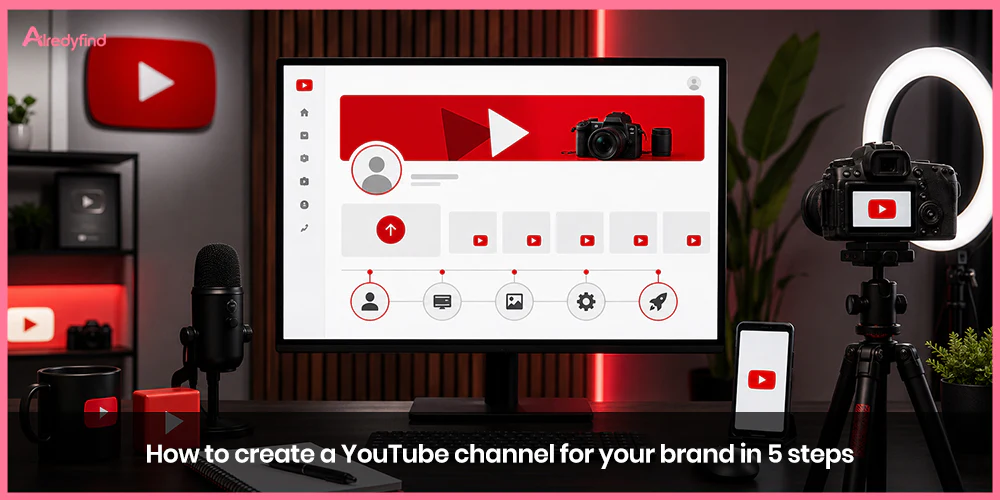
YouTube isn’t just another social platform—it’s the world’s second-largest search engine, a place where people actively look for product information, how-tos, reviews, and brand stories. With billions of users and long-lasting video content that can rank in both YouTube and Google search for years, a well-built channel gives your brand a powerful, owned media presence that builds trust, drives discovery, and supports sales.
Simply uploading videos isn’t enough. Brands that succeed treat their channel like a digital storefront: consistent branding, clear positioning, and a professional setup from day one. Here’s a practical, step-by-step guide to creating a YouTube channel specifically for your brand.
Step 1: Create a Google Account and Set Up a Brand Channel
Every YouTube channel is tied to a Google account. For a personal hobby channel this is straightforward, but for a brand you’ll want a dedicated setup that supports collaboration and professionalism.
Start by creating (or using) a Google account specifically for the business. Avoid tying the channel to a personal Gmail if multiple people will manage it. Then go to YouTube, sign in, and create the channel.
YouTube offers two main options:
A personal channel (tied directly to one Google account name).
A Brand Account channel (recommended for businesses). This lets you use your company or product name and add multiple managers or owners without sharing login credentials.
Official guidance from YouTube is clear: sign in, go to your channel list or Settings → Account → Add or manage channel(s), then choose “Create a channel” or select an existing Brand Account. You’ll pick a name and handle during this process. Brand Accounts also make it easier to transfer ownership later if needed.
Once created, head into YouTube Studio (studio.youtube.com). This becomes your command center for uploads, analytics, customization, and community management. Verify your phone number early—this unlocks longer videos, custom thumbnails, live streaming, and other key features.
Step 2: Choose a Strong Channel Name and Handle
Your channel name is the first thing potential viewers see in search results, recommendations, and next to every video. For brands, the safest and most effective approach is usually your official business or product name. It reinforces recognition and makes the channel easy to find across platforms.
If your content has a tighter focus (tutorials, product demos, behind-the-scenes, industry education), a slightly more descriptive name can work—think “Learn with [Brand]” or “[Brand] Tips.” Keep it memorable, easy to spell, and consistent with how your brand appears elsewhere.
The handle (the @username that appears in your URL as youtube.com/@yourhandle) should match as closely as possible. Clean, brand-aligned handles perform better for tagging, sharing, and search. You can change the name and handle later in YouTube Studio under Settings → Channel → Basic info, though frequent changes can confuse audiences and affect discoverability.
Check that the name isn’t already heavily used by similar channels, and consider trademark implications if your brand is established.
Step 3: Brand Your Channel Visually
First impressions matter. When someone lands on your channel page, the profile picture, banner, and overall visual consistency signal whether this is a legitimate, professional brand presence or a random upload account.
Profile picture: Use a high-quality version of your logo or a clear brand mark. It needs to remain recognizable even at small sizes (YouTube displays it tiny in many places). Square format, high resolution, and strong contrast work best.
Banner image: This is the wide header across the top of your channel. Design it for multiple devices—desktop, tablet, and mobile crop differently. Include your logo, a short value statement or tagline, and optionally an upload schedule or key message. Recommended dimensions are large (at least 2048 × 1152 pixels or higher) so nothing important gets cut off. Tools like Canva make creating on-brand banners straightforward.
Channel trailer: Set a short video that auto-plays for new (non-subscribed) visitors. This is your 30–90 second elevator pitch—what the channel is about, who it’s for, and why someone should subscribe. Keep it polished and on-brand.
Consistency extends beyond these elements. Use the same color palette, fonts, and style in thumbnails, end screens, and video intros/outros. Viewers should instantly recognize a video as yours even before the title loads. Strong visual branding helps with recall and trust, two things that matter enormously when people are deciding whether to watch or subscribe.
Step 4: Write a Compelling Channel Description and Complete Basic Info
The “About” section and channel description are more than filler—they’re SEO real estate and a conversion tool.
Write a clear, keyword-aware description that answers:
What is this channel about?
Who is it for?
What kind of videos can viewers expect?
Why should they subscribe or visit your site?
Include relevant search terms your audience actually uses (product categories, problems you solve, industry language) without stuffing. Add links to your website, other social profiles, and a strong call-to-action in the featured link slot (YouTube lets the first link show a custom title).
Fill out every available field: business email or contact method, location if relevant, and links. A complete profile looks more credible and gives the algorithm more signals about what your channel covers.
Many successful brand channels also organize playlists early (product demos, tutorials, customer stories, company culture) so new visitors can quickly find related content.
Step 5: Verify, Optimize Layout, and Prepare for Consistent Content
With the foundation in place, finish the practical setup and shift into content readiness.
Confirm phone verification and any other eligibility features in YouTube Studio.
Customize the channel layout: choose which playlists or videos appear as featured sections for new visitors.
Add a watermark (a small logo that appears on videos and can include a subscribe button).
Decide on your content pillars and posting cadence before the first upload. Brands that treat YouTube as a long-term asset plan a mix of formats—educational long-form, Shorts for discovery, product showcases, and occasional live sessions—while staying true to their voice.
Consistency in publishing and brand voice matters more than perfection. Viewers and the algorithm reward channels that show up regularly with clear value. Track early analytics in Studio to learn what resonates, then refine.
YouTube also offers shopping features for eligible channels (product tagging, shelves, and in some cases checkout). If you sell products, plan how videos will support that journey once you meet the thresholds.
Putting It All Together
Creating the channel itself takes less than an hour. Building one that actually works for your brand takes intention: professional branding, clear positioning, and content that serves your audience’s needs rather than just broadcasting product pitches.
The brands seeing the strongest results treat YouTube as both a search and discovery platform and a relationship-building tool. Videos that answer real questions, demonstrate expertise, or show the human side of the company tend to outperform pure ads over time. Pair that with clean branding and a complete setup, and you give your channel the best possible start.
Once the channel is live, focus on the next layer—keyword research for titles and descriptions, thumbnail testing, community engagement, and measuring what actually drives traffic or sales back to your business. The setup is the foundation; the content and consistency turn it into a growth engine.
FAQ
It’s strongly recommended. A dedicated business Google account (or Brand Account) keeps personal and company activity separate and makes it easy to add team members as managers without sharing passwords.
A personal channel is tied to one individual’s Google account and name. A Brand Account channel uses your business name and supports multiple owners/managers—ideal for companies.
Very. It’s the first video many new visitors see. A clear, on-brand trailer that explains the value of the channel can significantly improve subscribe rates from people who land on your page.
Yes. Both can be updated in YouTube Studio. Handles have some restrictions on how frequently they can be changed, so choose carefully at the start if possible.
No. Many successful brand channels began with smartphones, good lighting, and clear audio. Focus first on useful content and consistent branding; production quality can improve over time as results justify investment.

