

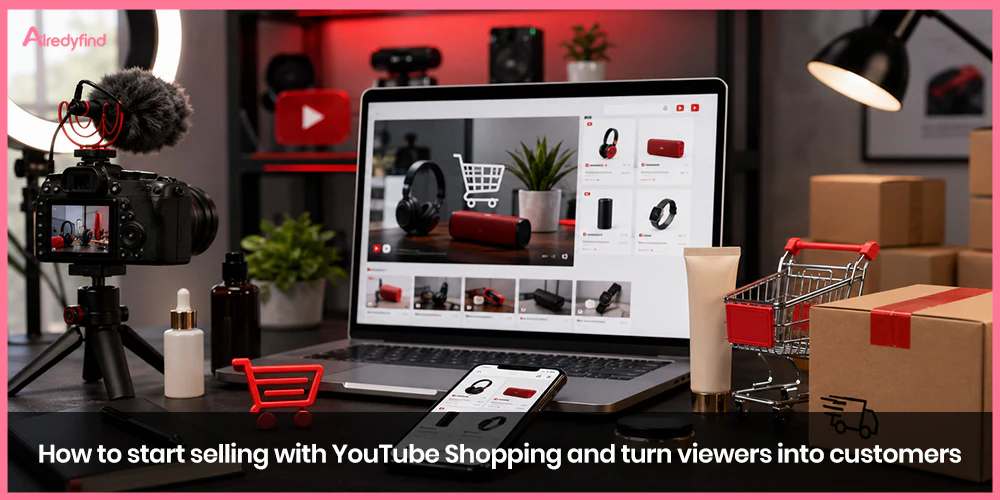
YouTube isn’t just a place people go to watch videos anymore — it’s become one of the biggest storefronts on the internet. Between tutorials, hauls, unboxings, and live streams, viewers are already primed to buy the moment they see something they like. The problem is friction. If someone has to pause a video, open a new tab, search for a product, and hope they remember what it was called, you’ve probably already lost the sale.
That’s exactly the gap YouTube Shopping was built to close. It turns the video itself into the storefront, letting people go from “I want that” to “I bought that” without ever leaving the player. If you’re a creator, brand, or small business trying to figure out how to actually use this feature — not just turn it on, but get real sales out of it — here’s a complete, practical breakdown.
What Is YouTube Shopping, Exactly?
YouTube Shopping is a set of built-in commerce tools that let you tag products directly inside your videos, Shorts, and live streams. When a product is tagged, viewers see a small “View products” overlay they can tap to pull up pricing, images, and a buy button — all without pausing what they’re watching.
Once your store is connected, you also get access to the Merch Shelf, a scrollable product display that shows up underneath your videos and on your channel’s home page. Instead of a viewer having to dig through your descriptions or pinned comments to find a link, your entire catalog is sitting right there, browsable at a glance.
There are two main ways creators participate:
Selling your own products by connecting your store (Shopify, Spring, Spreadshop, and others) directly to your channel.
Earning affiliate commissions by tagging other brands’ products through the YouTube Shopping affiliate program, even if you don’t sell anything yourself.
Both paths lead to the same outcome — products showing up natively inside your content — but the eligibility bar is slightly different for each, which we’ll get into below.
Why It’s Worth Setting Up
The audience size alone makes this worth a look. Recent industry research shows that roughly six in ten social media users have a YouTube account, which means even a niche or small-scale channel is publishing into a genuinely massive pool of potential buyers.
Beyond scale, the value breaks down a little differently depending on who you are:
For brands: long-form videos, Shorts, and live streams all become sales touchpoints instead of just brand-awareness content.
For creators: it opens a revenue stream that doesn’t depend entirely on ad payouts or landing sponsorship deals.
For viewers: it removes the annoying multi-step journey of watching a tutorial, searching for the product, and hoping they find the right one.
Eligibility: What You Actually Need to Qualify
This is where a lot of creators get stuck, so it’s worth separating the two tracks clearly.
If You Want to Sell Your Own Products
To connect your own store and activate the Merch Shelf, your channel generally needs to:
Be part of the YouTube Partner Program (YPP), or qualify through the expanded YPP track (in eligible countries, this can be as low as 500 subscribers plus a minimum number of uploads and watch hours or Shorts views in the last 90 days/12 months)
Not have its audience set to “Made for Kids,” and not carry a large share of videos marked that way
Be free of Hate Speech Community Guideline strikes
Once you clear those bars, you connect a supported storefront platform — Shopify is the deepest integration, but Spring and Spreadshop are also supported — and your catalog becomes taggable.
If You Want to Promote Other Brands’ Products (Affiliate Program)
The affiliate side has a higher bar, since YouTube is essentially vetting you to represent other companies’ products:
Your channel must already be in YPP
You typically need more than 10,000 subscribers (thresholds have varied by region and pilot program, so check your Studio dashboard for your exact status)
You must be based in one of the currently eligible countries — this list includes the United States, Brazil, India, Indonesia, Japan, Korea, Malaysia, Mexico, the Philippines, Singapore, Taiwan, Thailand, and Vietnam
Your channel can’t be a music channel, an Official Artist Channel, or affiliated with a music label, publisher, or distributor
Your audience can’t be set to “Made for Kids”
If you meet the requirements, sign-up happens entirely inside YouTube Studio: go to Earn → Shopping, click Get Started, follow the prompts, and accept the program terms.
Step-by-Step: Setting Up YouTube Shopping
Confirm your eligibility. Open YouTube Studio, click the “Earn” tab, and see whether a Shopping section appears. If it doesn’t, you’ll see what’s missing (subscriber count, watch hours, etc.).
Connect your store. Link your Shopify account or Google Merchant Center feed so your product catalog syncs automatically. Keeping this feed accurate matters — broken links or outdated pricing kill trust fast.
Submit products for approval. Whether you’re listing your own products or requesting to tag affiliate products, expect a review period that can take a few days.
Tag products across formats. Once approved, add product tags to long-form videos, Shorts, and live streams — not just your newest uploads.
Go back and tag your evergreen content. Your top-performing older videos are often an untapped goldmine. If a tutorial from a year ago still gets steady views, tagging the products featured in it can generate ongoing sales with zero new production work.
Turn on in-app checkout where available. In eligible regions (currently the U.S. for many merchants), viewers can complete a purchase without leaving the YouTube app at all, which meaningfully reduces drop-off. Outside those regions, tapping a product currently redirects viewers to your website in their browser.
Turning Eligibility Into Actual Sales
Flipping the Shopping feature on is the easy part. Getting viewers to actually convert takes a deliberate strategy. Here’s what tends to move the needle:
Kill the friction wherever it exists. Don’t rely on people scrolling to your description to find a link — a large share of viewers simply won’t. Product tags that appear directly on screen, right when the item is shown, convert far better than a link buried below the fold.
Keep your feed clean and current. A synced, accurate product feed (through Shopify or Google Merchant Center) is the backbone of the whole system. Mismatched prices, out-of-stock items, or broken images will tank buyer confidence quickly.
Tag every format, not just your main videos. Long-form videos, Shorts, and live streams should all carry product tags where relevant. Shorts in particular are a huge discovery engine, and skipping them leaves easy sales on the table.
Try the “one video, many cuts” approach. Film one comprehensive, shoppable long-form video that addresses every common objection a buyer might have about a product. Then slice it into three to five Shorts, or shoot fresh vertical clips, each built around a single pain point. This lets one production session feed weeks of shoppable content.
Use live streams as a sales event. Live shopping combines urgency with real-time interaction — viewers can ask questions and get an answer before deciding to buy, which is something a static video can’t replicate.
Lean on affiliate offers and promos. If you’re in the affiliate program, check which products currently have active commission boosts or seasonal promotions before deciding what to feature — timing your content around a live promo increases both relevance and payout.
Watch your analytics and adjust. Turn on Advanced Mode in YouTube Analytics to see product click-through rates, traffic sources, and transaction types. A healthy product click-through rate is typically in the low single digits (roughly 2–5%) — if you’re consistently below that, it’s usually a sign the product doesn’t match the video, or the tag placement needs to move earlier in the content.
A Few Mistakes Worth Avoiding
Tagging products that don’t match the video’s actual content. It reads as spammy and tanks trust fast.
Ignoring older videos. New uploads get most of the attention, but evergreen content often has more built-up watch time and search traffic worth capturing.
Treating YouTube Shopping as a “set it and forget it” feature. Feeds need maintenance, and performance should be reviewed regularly, not just set up once and left alone.
Assuming you need a website to start. You don’t — the Merch Shelf and product tags work whether or not you have a separate site, though a website or link-in-bio page still helps with brand credibility.
FAQ
It depends on which track you’re using. Selling your own products generally requires YPP membership, which in eligible countries can start around 500 subscribers under the expanded program. Joining the affiliate program to promote other brands’ products typically requires a higher threshold, often more than 10,000 subscribers, though exact numbers vary by country and program stage.
No. YouTube provides the discovery and tagging tools, but your connected store — Shopify, Google Merchant Center, or another supported retailer — handles checkout, fulfillment, taxes, and customer support. Any order issues, returns, or refunds go through that retailer, not YouTube directly.
Yes. Through YouTube Shopping and the Merch Shelf, you can sell directly from your channel without a standalone website. That said, having a website or a simple link-in-bio page still helps with branding and gives customers another way to find you.
Once you submit products — whether your own or ones you want to promote as an affiliate — expect a review period of several days before they’re approved and taggable in your content.
Selling your own products means connecting your store so viewers buy directly from you, and you keep the full margin. The affiliate program lets you tag other brands’ products in your videos and earn a commission on resulting sales, without needing your own inventory or storefront. Many creators eventually do both.

